Bundle Not Showing? (Quick Troubleshooting Guide)
The three most common reasons a bundle doesn’t appear
If your bundle is not showing on the storefront, it’s usually one of these issues.
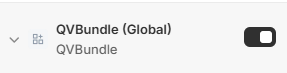
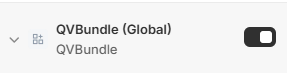
Check 1 – App embed is disabled
Go to Online Store → Themes → Edit theme → App embeds (located top left hand corner)
Make sure QV Bundle (Global) is ON.
Check 2 – Block not added to the page
Open the theme editor and confirm the QVBundle block is added to the correct page or template.
Step 1 – Open the theme editor
Go to Online Store → Themes → edit theme.
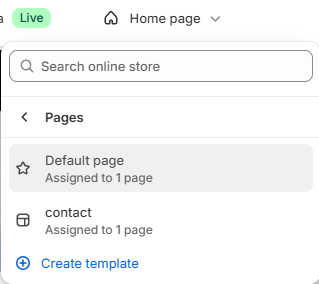
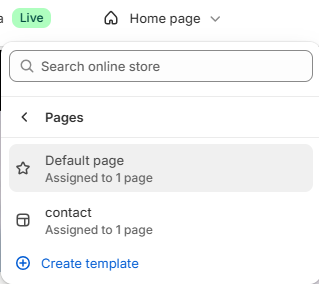
Step 2 – Select the page or template
Use the page/template selector at the top of the editor to choose where you want the bundle to appear.
Step 3 – Add the QVBundle block
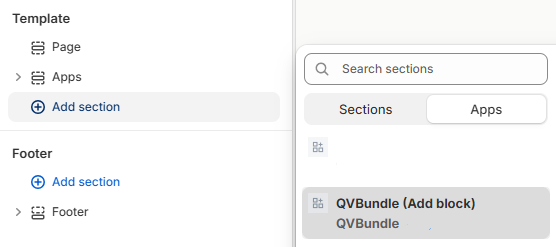
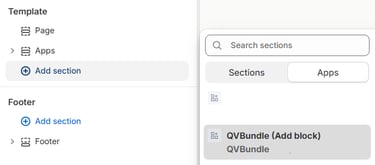
Click Add section or Add block, then select QVBundle from the Apps block list.
Click Save.
Check 3 – No collection selected
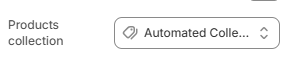
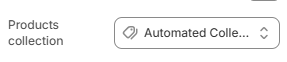
Open the block settings and make sure a collection is selected. In the block settings, select the collection that contains the products you want customers to bundle.
Click Save.
Still not showing?
Save and refresh the page
Clear theme cache
Make sure products are in stock
Final result
Once all three checks pass, the bundle should appear correctly.